This is an optimised and bug fixed version of nojer at yahoo dot com's rotatedellipse function. I've changed it so that the arguments are compatible with imageellipse. See notes on imagearc for original version.
<?php
function rotatedellipse($im, $cx, $cy, $width, $height, $rotateangle, $colour, $filled=false) {
// modified here from nojer's version
// Rotates from the three o-clock position clockwise with increasing angle.
// Arguments are compatible with imageellipse.
$width=$width/2;
$height=$height/2;
// This affects how coarse the ellipse is drawn.
$step=3;
$cosangle=cos(deg2rad($rotateangle));
$sinangle=sin(deg2rad($rotateangle));
// $px and $py are initialised to values corresponding to $angle=0.
$px=$width * $cosangle;
$py=$width * $sinangle;
for ($angle=$step; $angle<=(180+$step); $angle+=$step) {
$ox = $width * cos(deg2rad($angle));
$oy = $height * sin(deg2rad($angle));
$x = ($ox * $cosangle) - ($oy * $sinangle);
$y = ($ox * $sinangle) + ($oy * $cosangle);
if ($filled) {
triangle($im, $cx, $cy, $cx+$px, $cy+$py, $cx+$x, $cy+$y, $colour);
triangle($im, $cx, $cy, $cx-$px, $cy-$py, $cx-$x, $cy-$y, $colour);
} else {
imageline($im, $cx+$px, $cy+$py, $cx+$x, $cy+$y, $colour);
imageline($im, $cx-$px, $cy-$py, $cx-$x, $cy-$y, $colour);
}
$px=$x;
$py=$y;
}
}
function triangle($im, $x1,$y1, $x2,$y2, $x3,$y3, $colour) {
$coords = array($x1,$y1, $x2,$y2, $x3,$y3);
imagefilledpolygon($im, $coords, 3, $colour);
}
?>imageellipse
(PHP 4 >= 4.0.6, PHP 5, PHP 7, PHP 8)
imageellipse — 楕円を描画する
説明
imageellipse(
GdImage
int
int
int
int
int
): bool
GdImage
$image,int
$center_x,int
$center_y,int
$width,int
$height,int
$color): bool
指定した座標を中心とする楕円を描画します。
パラメータ
imageimagecreatetruecolor()のような画像作成関数が返す GdImage オブジェクト。
center_x-
中心の x 座標。
center_y-
中心の y 座標。
width-
楕円の幅。
height-
楕円の高さ。
color-
楕円の色。imagecolorallocate() で作成された色識別子。
変更履歴
| バージョン | 説明 |
|---|---|
| 8.0.0 |
image は、
GdImage
クラスのインスタンスを期待するようになりました。
これより前のバージョンでは、有効な gd resource が期待されていました。
|
例
例1 imageellipse() の例
<?php

// 空の画像を生成します
$image = imagecreatetruecolor(400, 300);

// 背景色を選択します
$bg = imagecolorallocate($image, 0, 0, 0);

// 上で選択した色で背景を塗ります
imagefill($image, 0, 0, $bg);

// 楕円の色を選択します
$col_ellipse = imagecolorallocate($image, 255, 255, 255);

// 楕円を描画します
imageellipse($image, 200, 150, 300, 200, $col_ellipse);

// 画像を出力します
header("Content-type: image/png");
imagepng($image);

?>
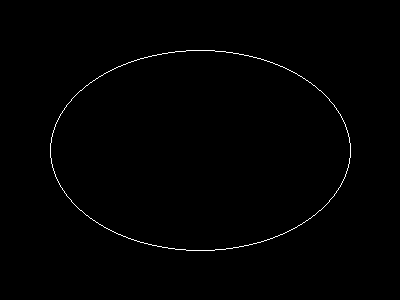
上の例の出力は、 たとえば以下のようになります。
注意
注意:
imageellipse() は imagesetthickness() を無視します。
参考
- imagefilledellipse() - 塗りつぶされた楕円を描画する
- imagearc() - 部分楕円を描画する
+add a note
User Contributed Notes 3 notes
simon_nuttall at hotmail dot com 
17 years ago
julian 
19 years ago
if you want to display an ellipse in the upper left corner of an image, you can easily calculate the corresponding cx and cy values. this example will draw an ellipse having the same width and height as the image.

<?php

$ellipse_width = 100;
$ellipse_height = 200;

$ellipse_cx = ($ellipse_width / 2);
$ellipse_cy = ($ellipse_height / 2);

$img_x = $ellipse_width;
$img_y = $ellipse_height;

$img = imagecreate($img_x, $img_y);
$bg = imagecolorallocate($img, 255,255,255);

$ellipse_color = imagecolorallocate($img, 0, 0, 0);

imageellipse($img, $ellipse_cx, $ellipse_cy, $ellipse_width, $ellipse_height, $ellipse_color);

header("Content-type: image/png");
imagepng($img);
imagedestroy($img);

?>
agentyoungsoo at hanmail dot net 
21 years ago
When you wana use "ImageEllipse" function
in under GD 2.0.2 version, you can use "ImageArc" like bellow

----------------------------------------------------
$file_name = "test.png";

$screen_x = 300;
$screen_y = 200;

$x1 = $screen_x / 2;
$y1 = $screen_y / 2;

$radius = 30;

$image = ImageCreate($screen_x, $screen_y);
$black = ImageColorAllocate($image, 0,0,0);

ImageArc($image, $x1, $y1, $radius , $radius , 0, 360, $black);

ImagePng($image, $file_name);
ImageDestroy($image);
----------------------------------------------------